

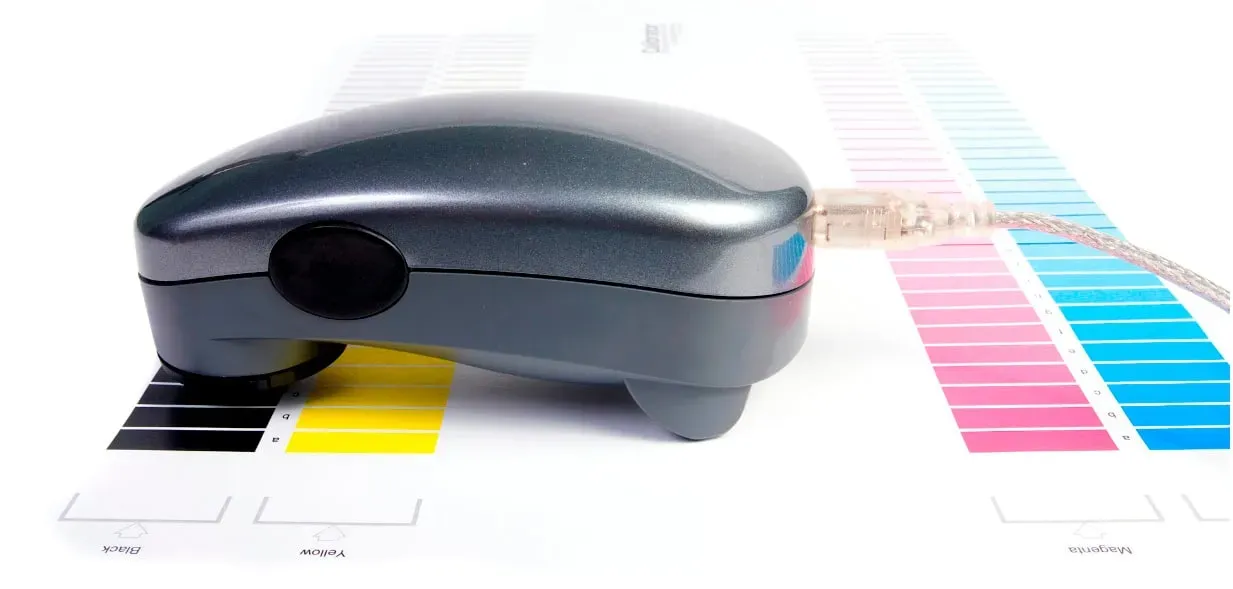
DTF color management is at the heart of turning digital artwork into consistent, vibrant apparel, guiding color choices from initial design to final print. By integrating DTF color management with practical tips like DTF layering tips, designers can build predictable color separations, while selecting DTF ink types and usage that match their process. A strong workflow couples accurate color spaces with reliable ICC profiles and sets the stage for fewer reprints and improved wash resistance. Practical DTF transfer troubleshooting guidelines and DTF printer calibration tips ensure your transfers stay true from proof to production. With these strategies, you can shorten the learning curve, boost color fidelity, and scale your DTF projects with confidence.
Think of this field as a color-accurate workflow for film-to-fabric decoration, where hues are preserved through calibrated processes rather than guesswork. Instead of traditional color settings, this approach emphasizes textile-compatible color management, color reproduction consistency, and precise workflow controls. The emphasis is on ensuring that on-screen previews, proofing, and actual transfers align, even when substrates vary. By focusing on related concepts such as color fidelity, print-to-fabric consistency, and process calibration, you build resilience into every run.
1) DTF Color Management Essentials for Consistent Transfers
DTF color management is the foundation of predictable color results. By defining the correct color space, maintaining consistent ICC profiles for printer, film, and ink, and establishing a reliable workflow, you can anticipate how colors will appear once heat is applied to fabric. This approach reduces surprises and enables you to reproduce your artwork with fidelity across runs.
A disciplined color management plan includes careful proofing, small test patches, and a neutral viewing environment to compare against references. Monitor calibration matters as much as printer setup, since human perception of color can be influenced by lighting and display accuracy. Keep color-aware habits—start with sRGB for screen work and, where your RIP supports it, Adobe RGB or equivalent for print—to ensure your source materials translate consistently to the transfer stage.
In practice, incorporate white underbase considerations, color separations, and the adhesive film’s influence into your color decisions. Regularly revisit curves and profiles rather than making sweeping edits. This keeps the final appearance aligned with the intended design, especially when layering complex gradients or photographic elements.
2) DTF Layering Tips to Maximize Detail and Color
Layering is where DTF brings depth to flat color. A well-planned sequence helps control how each pass contributes to the final image, particularly on textured fabrics or dark backgrounds. Start with a solid base and build detail layer by layer to preserve sharpness and avoid muddy transitions.
Key DTF layering tips include applying a clean white underbase on dark fabrics, stacking color from light to dark, and using subtle gradients to protect midtones. Incorporating halftone patterns can smooth shading in fine details, while precise alignment and consistent film handling prevent shifts that degrade image clarity. Maintain even squeegee pressure and adhere to recommended curing times to lock in the layer information.
Keep your environment stable—temperature, humidity, and storage conditions affect ink behavior and layer adhesion. By embedding these layering practices into your workflow, you’ll sustain color fidelity and crisp detail across runs, even with gradients or photographic elements.
3) Choosing and Using DTF Ink Types and Usage for Vibrant Textiles
DTF ink types and usage play a pivotal role in the color story. The common setup uses water-based pigment inks designed for textiles, offering vibrant color and reasonable wash durability when properly cured. Ink formulation interacts with the film surface, white underbase, and adhesive layer, so selecting an ink system compatible with your printer and curing process is essential.
When evaluating ink types, consider saturation, gamut, and lightfastness. Pigment inks typically provide broader color ranges on textiles, but always verify compatibility with your specific media and cure parameters. Environmental factors like temperature and humidity can alter drying times and color balance, so adjust job timing accordingly to maintain consistent results.
Media quality matters too. Invest in high-quality DTF films with consistent coating and a reliable adhesive that preserves color perception. Even distribution of powder adhesive helps maintain color accuracy across transfers, reinforcing the synergy between ink, film, and curing.
4) DTF Transfer Troubleshooting: Diagnosing Color and Layer Issues
Even with a strong color management plan, issues can arise during transfers. Common DTF transfer troubleshooting challenges include color mismatches between proofs and prints, banding, dull colors, and ghosting. A systematic approach helps you identify the root cause and apply targeted fixes.
Begin by reconfirming that ICC profiles align with your exact media and equipment, and consider generating a new profile for current batches. If proofs look correct but the print differs, re-evaluate monitor calibration and review lighting conditions during proofing. Check the print sequence for correct layering order and alignment to prevent color bleed or ghosting.
Inspect film and adhesive for residues, and ensure handling is gentle to avoid introducing contaminants. Verify heat press conditions—temperature, dwell time, and pressure—as inconsistent heat can dull colors or create uneven transfers. When needed, run controlled test patches focused on problematic color ranges to refine curves and layer parameters before running full productions.
5) DTF Printer Calibration Tips for Stable, Repeatable Quality
Reliable DTF printer calibration is essential for repeatable color across production. Regular monitoring, test prints, and adjustments help ensure that what you see on screen translates accurately to fabric. Calibration should be integrated into every project to minimize surprises and reduce rework.
Key DTF printer calibration tips include routine nozzle checks, head cleaning, and diagnostic prints to catch drift early. If you use RIP software, tailor color profiles for your specific combination of film, adhesive, and inks, and establish a consistent proofing routine that matches your production conditions. When changing ink lots or film batches, re-run tests and adjust color curves as needed to maintain stability.
Periodic adjustments to color correction curves, white cap voltage settings, and film thickness compensation are effective steps in keeping color output stable. A well-maintained calibration routine supports consistent results from the first print to the last, reducing waste and increasing throughput.
6) The Impact of Media Quality and Film on Color Fidelity
Media quality directly influences color fidelity in DTF transfers. High-quality films with uniform coating and a dependable adhesive help preserve color accuracy and reduce variation across runs. Proper powder distribution and film handling also play a role in ensuring the final color remains faithful to the source artwork.
Choosing the right film, adhesive, and curing parameters supports your overall color strategy. Inconsistent film thickness or adhesive dispersion can lead to color shifts or loss of detail, especially in high-contrast designs. By prioritizing consistent media selection and storage, you can maintain reliable color reproduction across batches.
Frequently Asked Questions
What is DTF color management and why is it essential for consistent transfers?
DTF color management is the process of controlling color spaces, ICC profiles, and proofing to predict how artwork will look on fabric. By adopting a color-aware workflow with calibrated monitors and consistent printer, film, and ink profiles, you achieve repeatable, vibrant transfers that stay true after heat and curing.
How do DTF layering tips influence DTF color management and final print quality?
DTF layering tips guide how each pass contributes to color accuracy and detail. Start with a clean base layer on dark fabrics, build colors in logical steps, and use halftones for smooth shading. Proper layering helps preserve color fidelity and reduces misregistration that can impact perceived color.
Which DTF ink types and usage impact color management and durability of transfers?
DTF ink types and usage affect saturation, gamut, and wash-fastness. Choose ink systems compatible with your printer, film, and adhesive, and follow curing parameters to lock colors in place. Environmental factors like temperature and humidity can also influence color balance.
What are common DTF transfer troubleshooting steps for color mismatches and artifacts?
Address color mismatches by verifying ICC profiles match your media and recalibrating the monitor under neutral lighting. Check the print sequence and alignment, inspect film and adhesive for residues, and verify heat press settings. Run controlled test patches to isolate problematic color ranges before full production.
What are practical DTF printer calibration tips to maintain color accuracy across runs?
Implement regular printer calibration with periodic test prints and color correction curves. Verify nozzle health, perform routine maintenance, and confirm film thickness is correctly accounted for by the printer. If using a RIP, tailor color profiles to your media batch and review proofing against production conditions.
How can I build a DTF color management workflow to ensure consistency across batches?
Create a repeatable DTF color management workflow by defining consistent color spaces (e.g., sRGB for screens, ICC profiles for print), using the same ink/film combination, and maintaining regular proofing. Re-test whenever ink lots or film batches change, and implement batch-wide calibration checks to sustain color integrity.
| Section | Key Points |
|---|---|
| Introduction |
|
| Understanding DTF Color Management |
|
| DTF Layering Tips for Superior Detail |
|
| Workflow, Calibration, and Color Integrity |
|
| Ink Types and Media for Color Precision |
|
| Troubleshooting Color Mismatches and Artifacts |
|